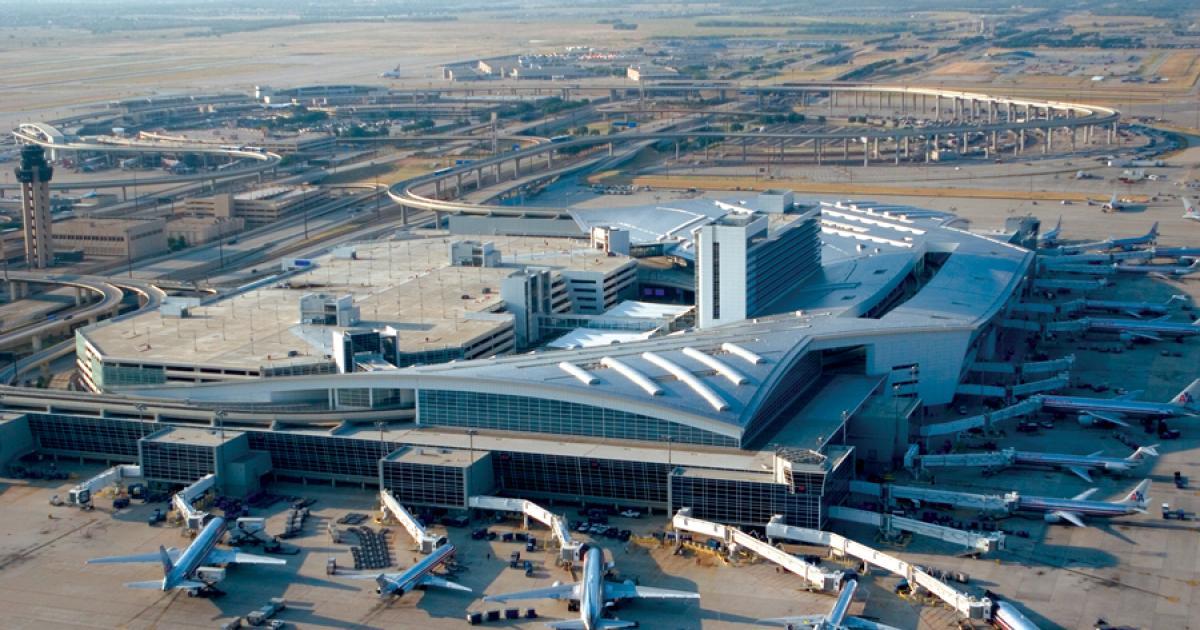
Dallas/Fort Worth International Airport (DFW) Wi-Fi
Last verified 3/6/2026Recheck suggested • Dallas-Fort Worth, USA
Wi-Fi is available at Dallas/Fort Worth International Airport (DFW), but access can vary by terminal. Join “DFW Public 5G Wi-Fi”, then accept the terms on the sign-in page. The airport has 5 terminals. It’s a hub for American Airlines.
Is there free Wi-Fi at Dallas/Fort Worth International Airport?
VariesIt varies. Details for Dallas/Fort Worth International Airport are inconsistent. Check the SSIDs below.
- Common SSIDs: DFW Public 5G Wi-Fi, DFW Public 6E Wi-Fi
- Sign-in: Accept terms splash page (no password)
- Provider: AT&T
Wi-Fi Freshness
Be the first to verify this airport
Share a quick Wi-Fi report to help travellers with real-world speed, reliability and login details.
Takes about 30 seconds
Connection details
- Login: Click-through portal
- Security: OPEN • HTTPS portal
- Support: See DFW’s official Wi-Fi and tech page
Speed & reliability
Useful upgrades for this trip
Need a backup to Dallas/Fort Worth International Airport Wi-Fi?
If the airport network feels slow, crowded, or unreliable, an eSIM can give you instant mobile data without hunting for a local SIM. It is one of the easiest fallback options for travellers at DFW.
Get travel dataTerminal specifics
- Terminal ASSIDs: DFW Public 5G Wi-Fi, DFW Public 6E Wi-FiA practical terminal for getting online, especially around larger gate seating clusters where there is more room to settle in.
- Terminal BSSIDs: DFW Public 5G Wi-Fi, DFW Public 6E Wi-FiWindow seating and gate-adjacent waiting areas are usually the best public spots for a short work session.
- Terminal CSSIDs: DFW Public 5G Wi-Fi, DFW Public 6E Wi-FiA useful all-round terminal for casual laptop use, especially near larger waiting and dining zones.
- Terminal DSSIDs: DFW Public 5G Wi-Fi, DFW Public 6E Wi-FiUsually one of the better terminals for workability thanks to its international layout, broader seating areas and stronger choice of places to sit.
- Terminal ESSIDs: DFW Public 5G Wi-Fi, DFW Public 6E Wi-FiA decent option for quick work sessions, especially if you can find calmer seating away from the busiest gate clusters.
Power & places to work
- Seated power stationsAll terminals, gate areasA practical option for quick laptop work, though the best spots fill up fast during peak periods.
- Window countersTerminals A, C, D and EUseful if you want a flatter working surface and a little more separation from the busiest foot traffic.
Best places to work at Dallas/Fort Worth International Airport
Terminal D is usually the strongest public-terminal option at DFW for laptop work, mainly because it offers broader waiting areas and a better chance of finding a comfortable seat away from the main flow.
For short calls, try quieter edge seating or window counters rather than busy central gate clusters. Parts of Terminals D and E are usually easier for this than the most crowded domestic gates.
Gate-adjacent waiting areas and seated power stations across all terminals are your safest bet if you need both a seat and nearby charging.
If the airport Wi-Fi feels busy, moving away from the most crowded gate zones often helps. At DFW, changing seating area can noticeably improve the experience.
Dining-adjacent seating in Terminal D and larger domestic gate waiting areas tend to be the easiest places to combine food, power and a short working session.
Lounges, cafes and useful work spots
Terminal D waiting areas
other • Terminal D
One of the better public work areas at DFW if you want a strong mix of seating, dwell space and airport-wide Wi-Fi coverage.
Gate-area power stations
charging • Across all terminals
Best used as a practical charging fallback when you need to top up a device and do some quick work near your gate.
Window counter seating
other • Terminals A, C, D, E
A good option if you want a flatter surface and a slightly calmer place to sit than the busiest central seating clusters.
Dining-adjacent seating
other • Terminal C
A practical all-round choice if you want to eat, stay online and catch up on a bit of work before boarding.
How to connect at DFW
- Join "DFW Public 5G Wi-Fi" or "DFW Public 6E Wi-Fi".
- Open a browser; if the portal doesn’t appear, visit a non-HTTPS page to trigger it.
- Complete any email/SMS step.
- Start your VPN, then browse normally.
Interesting Facts about Dallas/Fort Worth International Airport Airport
- DFW’s current public Wi-Fi networks are DFW Public 5G Wi-Fi and DFW Public 6E Wi-Fi.
- Passengers connect by selecting one of the public networks and accepting the terms and conditions.
- DFW handled a record nearly 87 million passengers in fiscal year 2024.
- The airport currently operates five terminals: A, B, C, D and E.
- DFW is one of the busiest airports in the world by passenger traffic.
- American Airlines operates its largest hub at DFW.
Quick Wi-Fi check for Dallas/Fort Worth International Airport
Don’t want to fill in the full report? Just tap a few quick answers. Even a tiny update helps keep this airport page fresh.
Submit a Wi-Fi report
Help keep Dallas/Fort Worth International Airport accurate for other travellers.
Sources
More airports in USA
- John F. Kennedy International Airport (JFK)
- Los Angeles International Airport (LAX)
- Hartsfield-Jackson Atlanta International Airport (ATL)
- Memphis International Airport (MEM)
- Philadelphia International Airport (PHL)
- Denver International Airport (DEN)
- Chicago O'Hare International Airport (ORD)
- Charlotte Douglas International Airport (CLT)
- Harry Reid International Airport (LAS)