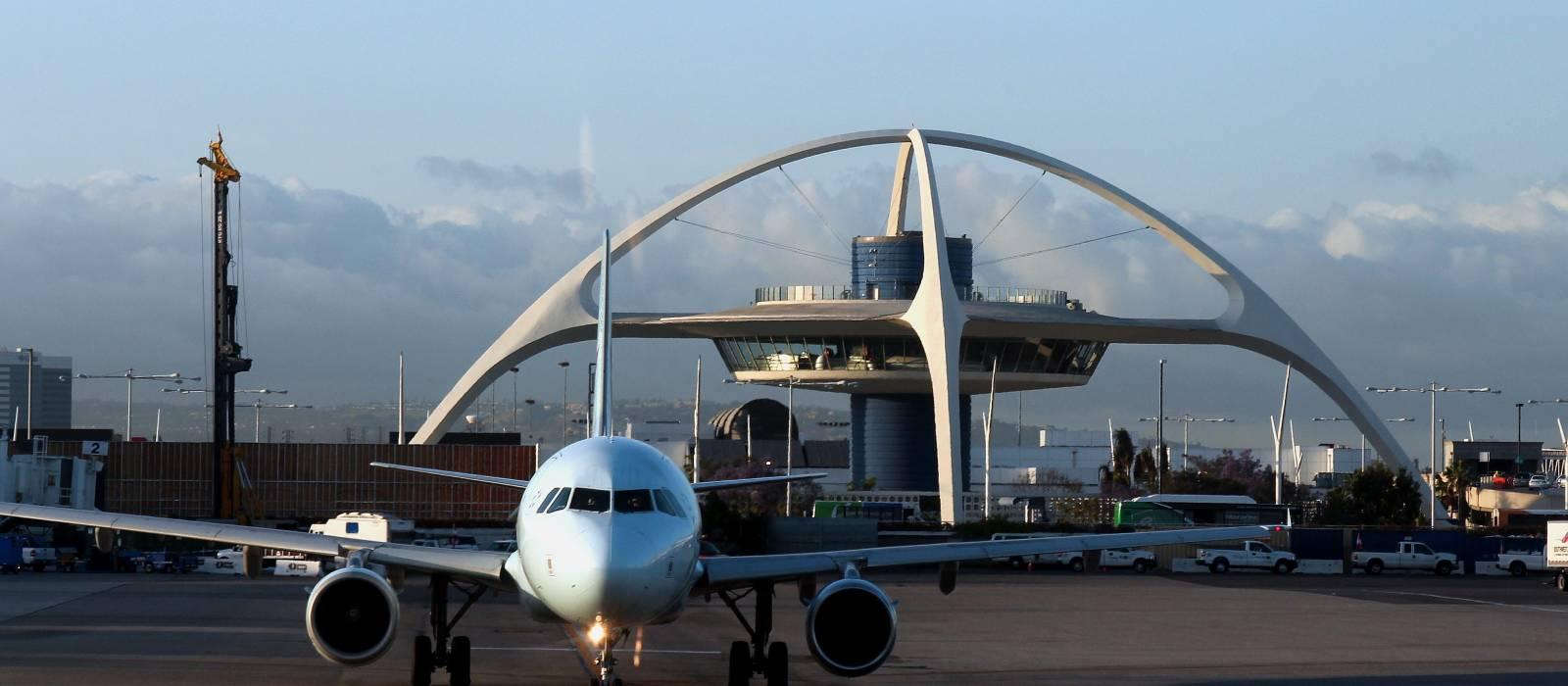
Los Angeles International Airport (LAX) Wi-Fi
Last verified 3/6/2026Recheck suggested • Los Angeles, USA
Wi-Fi at Los Angeles International Airport (LAX) is free across all terminals. Join “_LAX Free WiFi”, then accept the terms on the sign-in page. Typical speeds are around 70 Mbps down and 87 Mbps up. The airport has 9 terminals.
Is there free Wi-Fi at Los Angeles International Airport?
FreeYes. Free, unlimited Wi-Fi is available at Los Angeles International Airport.
- Common SSIDs: _LAX Free WiFi
- Sign-in: Click-through portal (select “Free Unlimited Wi-Fi” and watch a short ad)
- Provider: Boingo
Wi-Fi Freshness
Be the first to verify this airport
Share a quick Wi-Fi report to help travellers with real-world speed, reliability and login details.
Takes about 30 seconds
Connection details
- Login: Click-through portal • reauth every 45 min
- Roaming: Passpoint
- Security: OPEN • HTTPS portal
- Support: LAX Helpline: (855) 463-5252
Speed & reliability
Useful upgrades for this trip
Need a backup to Los Angeles International Airport Wi-Fi?
If the airport network feels slow, crowded, or unreliable, an eSIM can give you instant mobile data without hunting for a local SIM. It is one of the easiest fallback options for travellers at LAX.
Get travel dataTerminal specifics
- T1SSIDs: _LAX Free WiFiFree airport Wi-Fi is available in public areas. Good for short work sessions if you can find seating away from the busiest gates.
- T2SSIDs: _LAX Free WiFiGenerally reliable for public-terminal use, especially in calmer seating areas outside the main rush periods.
- T3SSIDs: _LAX Free WiFiRenovated spaces make this one of the more comfortable terminals for laptop use if you can get a decent seat.
- T4SSIDs: _LAX Free WiFiA practical option for work thanks to central concourse seating and food-adjacent areas with decent dwell space.
- T5SSIDs: _LAX Free WiFiOften a good fallback for public work space, with seating and charging options around the concourse.
- T6SSIDs: _LAX Free WiFiCoverage is generally consistent in public waiting areas and around gate seating.
- T7SSIDs: _LAX Free WiFiA workable terminal for casual laptop use, especially if you can avoid the busiest boarding windows.
- T8SSIDs: _LAX Free WiFiCharging access near gates makes this useful for short top-up sessions between flights.
- Terminal BSSIDs: _LAX Free WiFiTom Bradley International Terminal has broad public-area coverage and a large central hall, though it can feel very busy during international peaks.
Power & places to work
- Counter seating with outletsT4 central concourseA practical public-terminal option for laptop use, especially outside peak boarding windows.
- Marketplace seatingT5 airsideUseful for casual work sessions, with better odds of finding both table space and charging.
- Great Hall seatingTerminal B airsideSpacious and easy to settle into, though international rush periods can make it noisy and less ideal for calls.
Best places to work at Los Angeles International Airport
Terminal 3 and Terminal 4 are often among the better public-terminal options at LAX for laptop use, thanks to more modern seating layouts and a better chance of finding dwell space.
For short calls, look for calmer edge seating rather than the busiest central food halls. Terminal 2, Terminal 3 and some quieter stretches of Terminal 6 or 7 are usually more manageable than packed departure clusters.
Terminal 5, Terminal 8 and newer seating areas in the renovated terminals are usually among the better places to top up devices without too much hassle.
If the network feels congested, moving away from crowded gate zones can make a noticeable difference. At LAX, the experience often improves more by changing location than by changing device.
Marketplace-style seating in Terminal 5 and food-adjacent seating in Terminal 4 are some of the better combinations if you want to eat, plug in and stay productive.
Lounges, cafes and useful work spots
Terminal 4 central concourse seating
other • T4 • Airside central concourse
One of the more practical public work areas at LAX if you need a seat, a surface and nearby charging.
Terminal 5 marketplace seating
other • T5 • Airside food and seating zone
A reliable all-round option for casual work, especially if you want food and a better chance of finding power.
Great Hall seating
other • Terminal B • Tom Bradley International Terminal
Spacious and useful for getting online, but heavy international traffic can make it noisier and less comfortable for focused work.
Terminal 3 public seating areas
other • T3
The renovated terminal layout makes this one of the better bets at LAX for a short working session between flights.
Terminal 8 gate seating areas
other • T8
Good for charging and quick catch-up work, though not always ideal for a long uninterrupted session.
How to connect at LAX
- Join "_LAX Free WiFi".
- Open a browser; if the portal doesn’t appear, visit a non-HTTPS page to trigger it.
- Complete any email/SMS step.
- Start your VPN, then browse normally.
Interesting Facts about Los Angeles International Airport Airport
- LAX offers free Wi-Fi in the public areas of all terminals.
- Passengers get unlimited 45-minute Wi-Fi sessions and watch a short ad before each session begins.
- LAX reported average Wi-Fi speeds of about 70.6 Mbps download and 87.39 Mbps upload in 2019.
- In 2022, LAX said its public Wi-Fi ranked No. 6 in the United States and No. 8 globally in an Ookla-based ranking.
- LAX has nine passenger terminal areas: Terminals 1 through 8 and Terminal B.
- Tom Bradley International Terminal is the airport’s main international terminal complex.
Quick Wi-Fi check for Los Angeles International Airport
Don’t want to fill in the full report? Just tap a few quick answers. Even a tiny update helps keep this airport page fresh.
Submit a Wi-Fi report
Help keep Los Angeles International Airport accurate for other travellers.
Sources
More airports in USA
- John F. Kennedy International Airport (JFK)
- Hartsfield-Jackson Atlanta International Airport (ATL)
- Memphis International Airport (MEM)
- Philadelphia International Airport (PHL)
- Dallas/Fort Worth International Airport (DFW)
- Denver International Airport (DEN)
- Chicago O'Hare International Airport (ORD)
- Charlotte Douglas International Airport (CLT)
- Harry Reid International Airport (LAS)