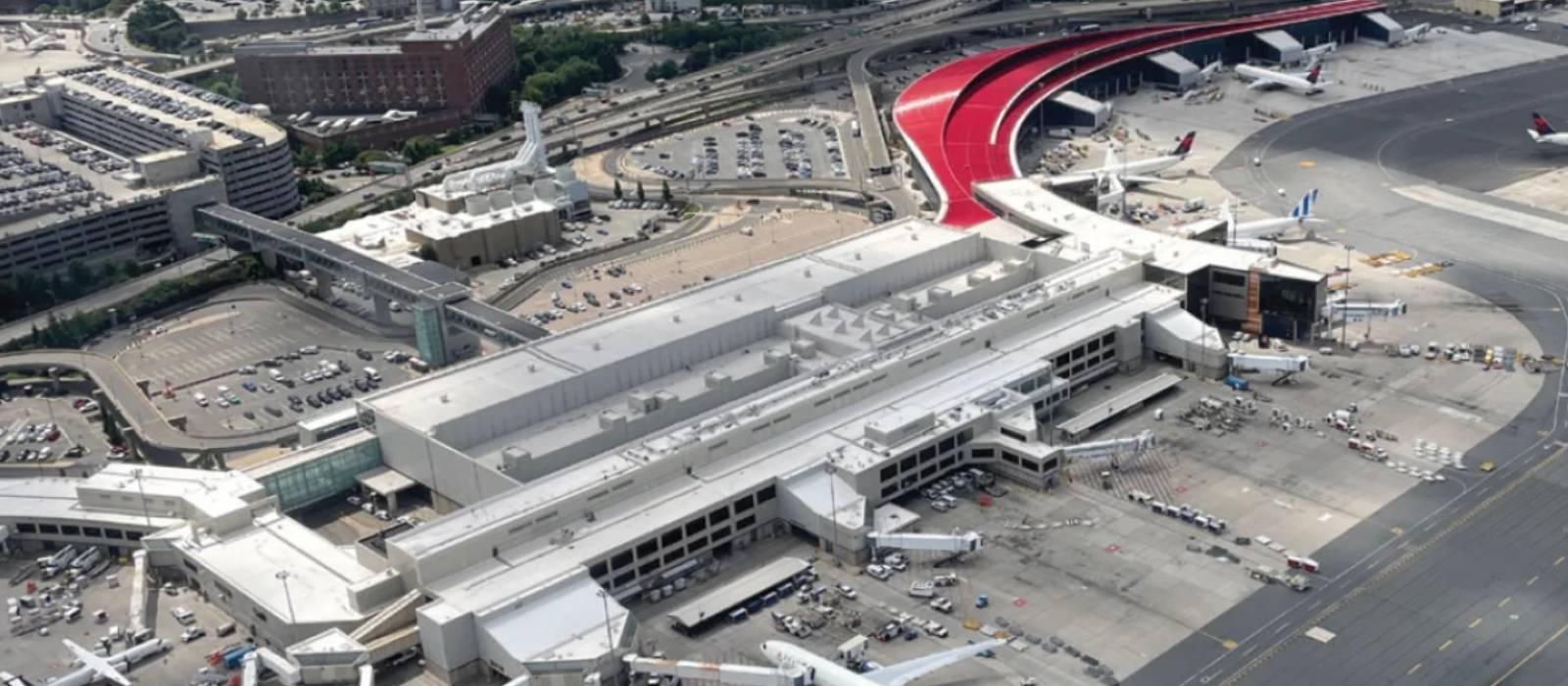
Boston Logan International Airport (BOS) Wi-Fi
Last verified 3/6/2026Recheck suggested • Boston, USA
Wi-Fi at Boston Logan International Airport (BOS) is free across all terminals. Join “BOSWifi”, then accept the terms on the sign-in page. The airport has 4 terminals. It’s a hub for Delta Air Lines and JetBlue.
Is there free Wi-Fi at Boston Logan International Airport?
FreeYes. Free, unlimited Wi-Fi is available at Boston Logan International Airport.
- Common SSIDs: BOSWifi
- Sign-in: Click-through splash page; accept Terms of Service
- Provider: Massport
Wi-Fi Freshness
Be the first to verify this airport
Share a quick Wi-Fi report to help travellers with real-world speed, reliability and login details.
Takes about 30 seconds
Connection details
- Login: Click-through portal
- Security: OPEN • HTTPS portal
- Support: See Massport passenger services and at-the-airport pages
Speed & reliability
Useful upgrades for this trip
Need a backup to Boston Logan International Airport Wi-Fi?
If the airport network feels slow, crowded, or unreliable, an eSIM can give you instant mobile data without hunting for a local SIM. It is one of the easiest fallback options for travellers at BOS.
Get travel dataTerminal specifics
- Terminal ASSIDs: BOSWifiGood all-round public coverage, especially near gate seating and larger waiting zones.
- Terminal BSSIDs: BOSWifiA practical option for laptop use, with a good mix of seating and food-adjacent waiting areas.
- Terminal CSSIDs: BOSWifiUsually one of the easier terminals for finding a work surface or quieter seating away from the busiest flows.
- Terminal ESSIDs: BOSWifiReliable coverage in the international terminal, especially around larger seating clusters and waiting areas.
Power & places to work
- Window countersAcross all terminalsA practical option if you want a flatter surface and a little separation from the busiest walkways.
- Food-adjacent seatingTerminals A, B, C and EUseful for casual work sessions, especially outside the busiest departure banks.
Best places to work at Boston Logan International Airport
Terminal C is usually one of the better public-terminal options at Logan for laptop work, thanks to its mix of seating, waiting space and a slightly easier layout for finding a usable spot.
For short calls, quieter edge seating and window counters usually work better than the busiest food and boarding clusters.
Larger waiting areas and counter-style seating are usually the safest bet if you need both a seat and nearby power.
If the connection feels busy, moving away from packed gate areas and into calmer seating zones often improves the experience quickly.
Food-adjacent seating across the terminals works well for casual use, though quieter counter seating is usually better if productivity matters more.
Lounges, cafes and useful work spots
Window counter seating
other • Terminals A, B, C, E
A useful fallback if you want a flatter work surface and a bit more space than standard gate seating.
Terminal C seating areas
other • Terminal C
One of the better public work areas at Logan if you want a balanced mix of seating, coverage and relative calm.
Terminal E seating clusters
other • Terminal E
A strong option for international travelers who need Wi-Fi, a seat and a little dwell time before departure.
How to connect at BOS
- Join "BOSWifi".
- Open a browser; if the portal doesn’t appear, visit a non-HTTPS page to trigger it.
- Complete any email/SMS step.
- Start your VPN, then browse normally.
Interesting Facts about Boston Logan International Airport Airport
- Boston Logan served a record 43.5 million passengers in 2024.
- The airport served more than 9 million international passengers in 2024.
- The official airport Wi-Fi network is BOSWifi.
- Massport says Logan’s Wi-Fi has expanded coverage and fast 6G speeds for compatible devices.
- Boston Logan has four passenger terminals: A, B, C and E.
- Massport’s on-airport shuttle connects all terminals, Airport Station on the Blue Line, the rental car center and the water dock.
Quick Wi-Fi check for Boston Logan International Airport
Don’t want to fill in the full report? Just tap a few quick answers. Even a tiny update helps keep this airport page fresh.
Submit a Wi-Fi report
Help keep Boston Logan International Airport accurate for other travellers.
Sources
More airports in USA
- John F. Kennedy International Airport (JFK)
- Los Angeles International Airport (LAX)
- Hartsfield-Jackson Atlanta International Airport (ATL)
- Memphis International Airport (MEM)
- Philadelphia International Airport (PHL)
- Dallas/Fort Worth International Airport (DFW)
- Denver International Airport (DEN)
- Chicago O'Hare International Airport (ORD)
- Charlotte Douglas International Airport (CLT)